

Fordeer hello to you!
If the popups are not displaying on your store, please refer to this article and carefully follow each step and note to ensure seamless popup display on your store.
1. Enable app embeds
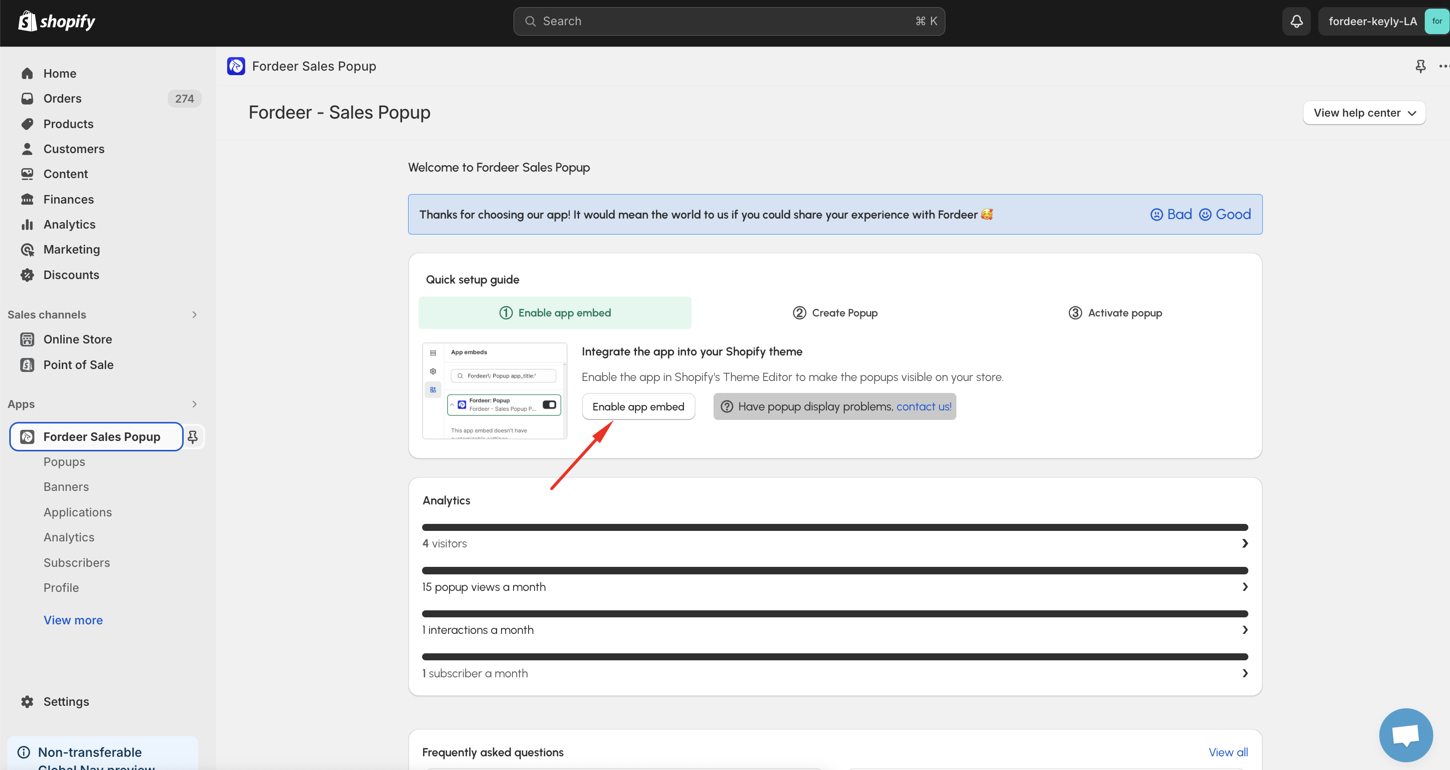
First of all, kindly make sure that you have enabled App Embed on the Shopify’s Theme Editor. This won't display the popup on your storefront until you've published it from our app.
- Kindly go to our Dashboard, then kindly click directly on the Enable app embed button in the Quick set up guide.
- After that, kindy click Save at the end to make sure everything has been updated successfully.
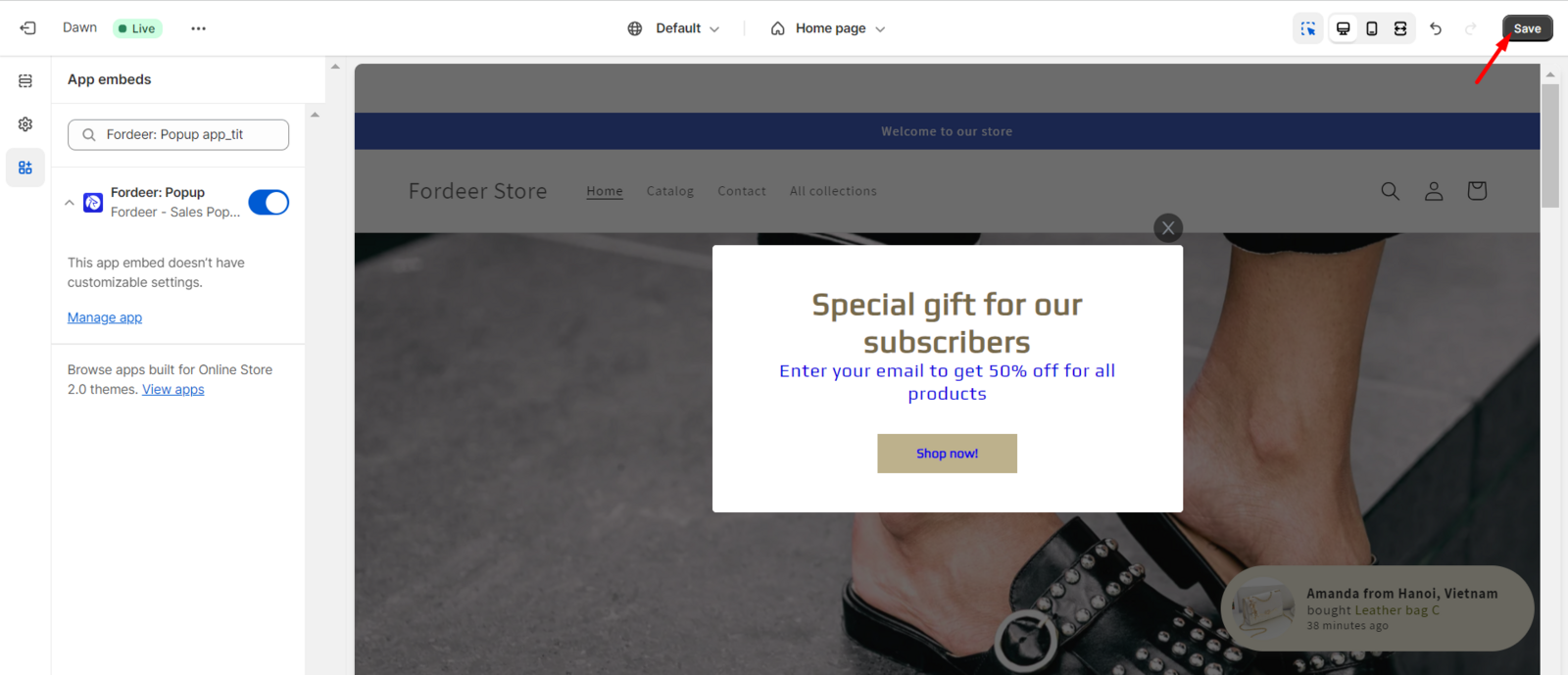
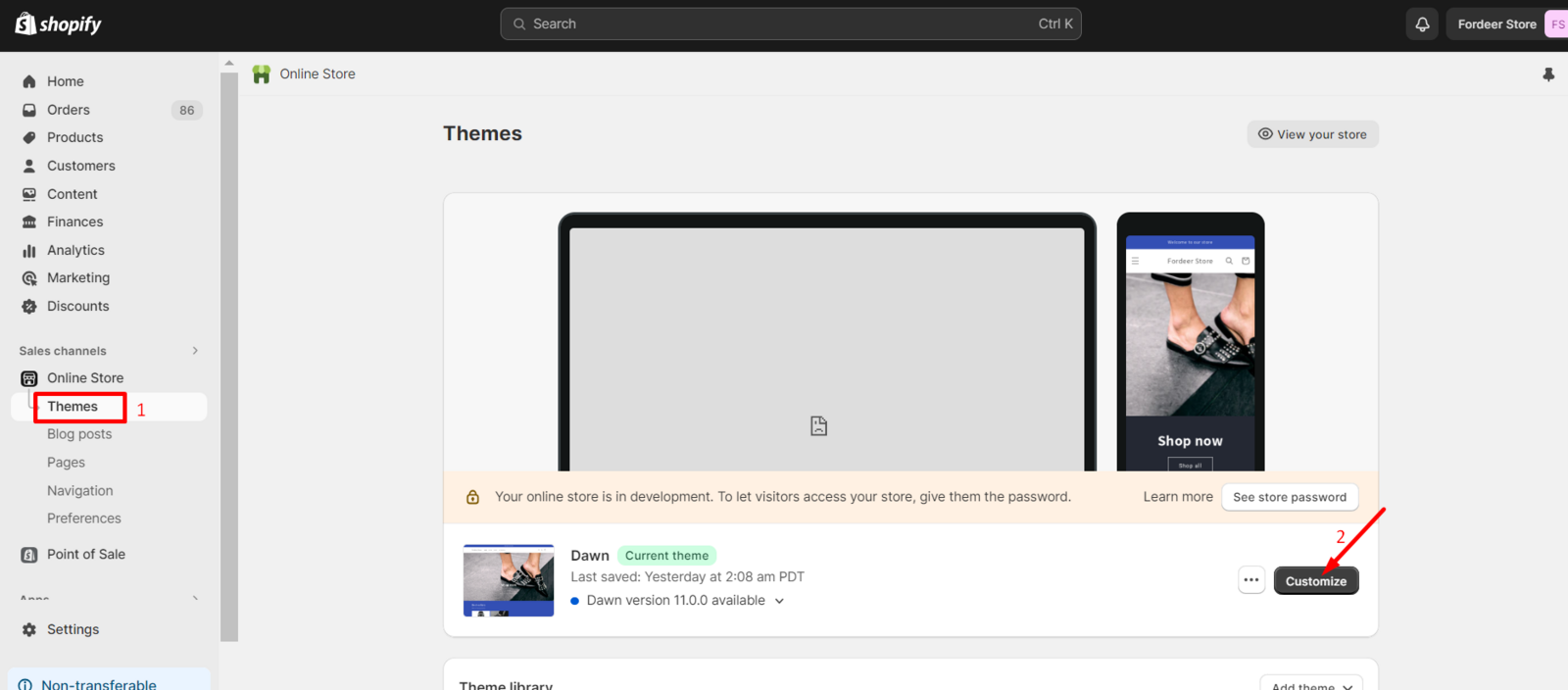
Besides, you can do another way to turn on the App Embed.
- Kindly go to Theme on the Online store, then kindly click Customize.
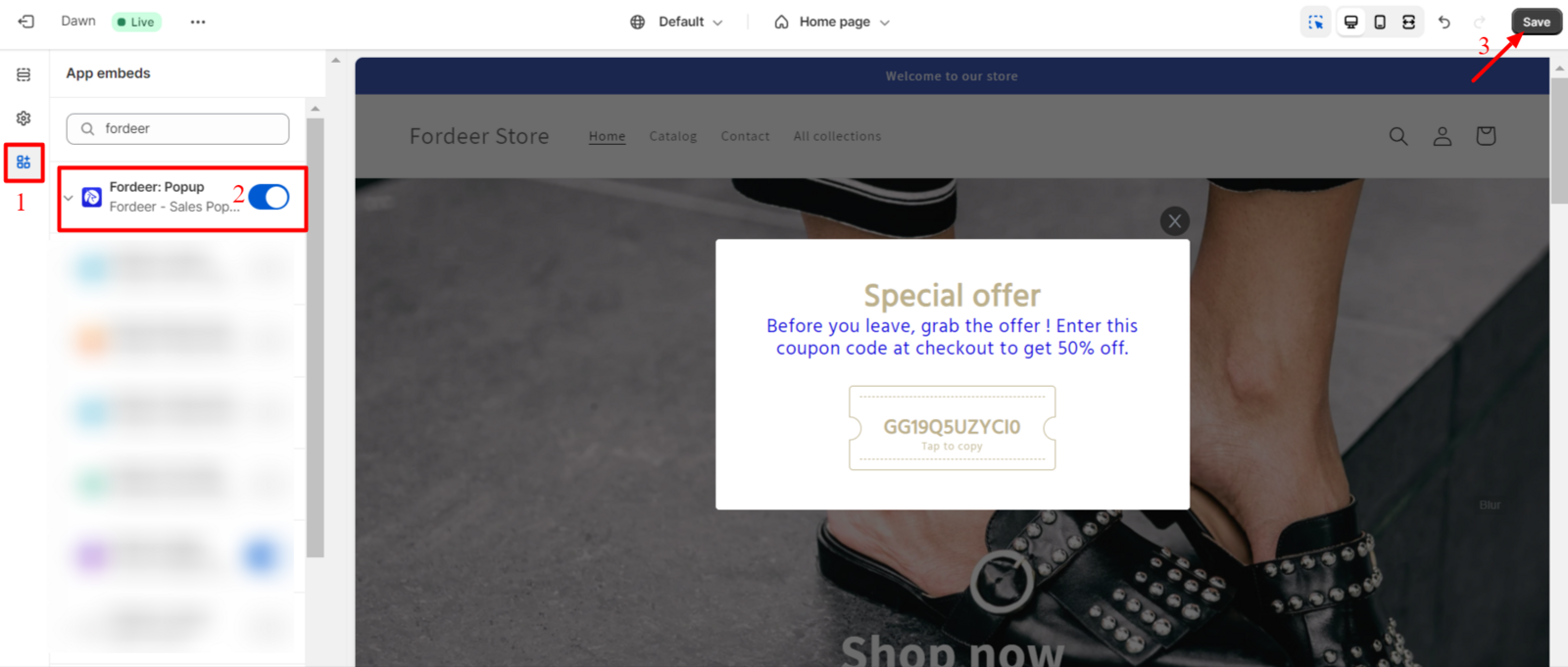
- After that, kindly go to App Embeds, and kindly search Fordeer, and turn on the Fordeer: Popup. After that, kindly remember to click Save at the end to make sure all the changes have been updated.
2. Enable the popup status
If you have done this step, please go the Popups, Banners, Applications on the side bar menu, then you can easily choose the status of the popup by activated the popups.
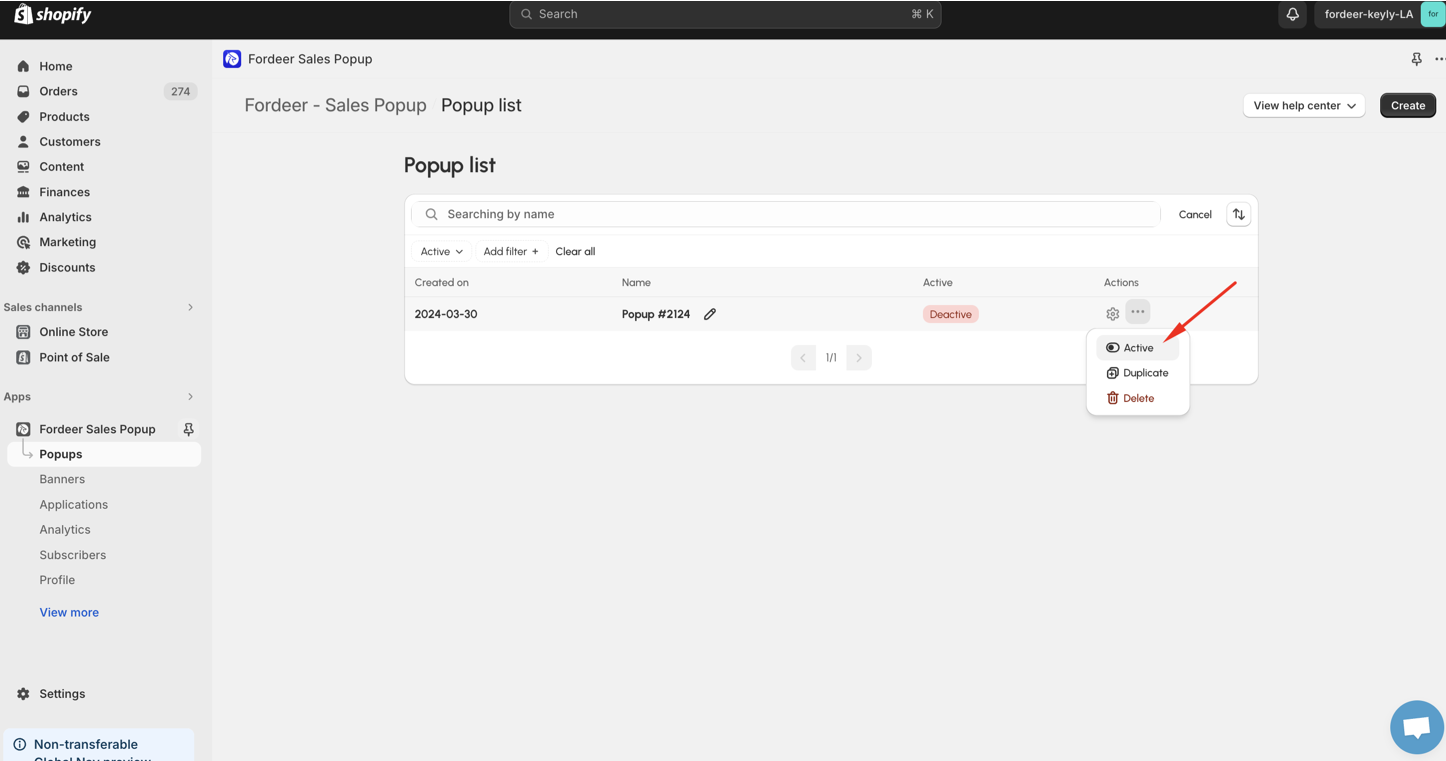
3. Check your settings once more time
Before proceeding, please double-check your settings on the Display page to ensure everything is configured correctly.
For step-by-step guidance, visit our helpdesk article: How to show notifications on page?
Besides, there are some points you need to take note:
-
Order count gets real data from Shopify Orders to show on your store.
-
Recent visitors gets real data from your storefront.
-
The Alert box of cart timer only appears after you add some products to cart.
Troubleshooting
If you're not seeing your popup on your website, try these tips:
-
Clear your browser cache and cookies.
-
Check your targeting settings.
-
Test on different devices and browsers.
We value your feedback — it helps us continuously improve ForDeer and provide you with a better experience.
🖥️ Demo store: Check out here with password: 1
👉 Chat with us: Share your feedback directly with our team.
👉 Email us: hi@fordeercommerce.io
👉 Explore more apps: Discover more ForDeer apps.
👉 Join our community: Join ForDeer Community to get the latest updates, tips, and special deals.
🕐 Working hours: 8:30 AM – 5:00 PM (UTC+7), Monday–Friday.
We typically reply to live chats within minutes and emails within a few hours.
Need help? Feel free to reach out anytime via live chat or email!