

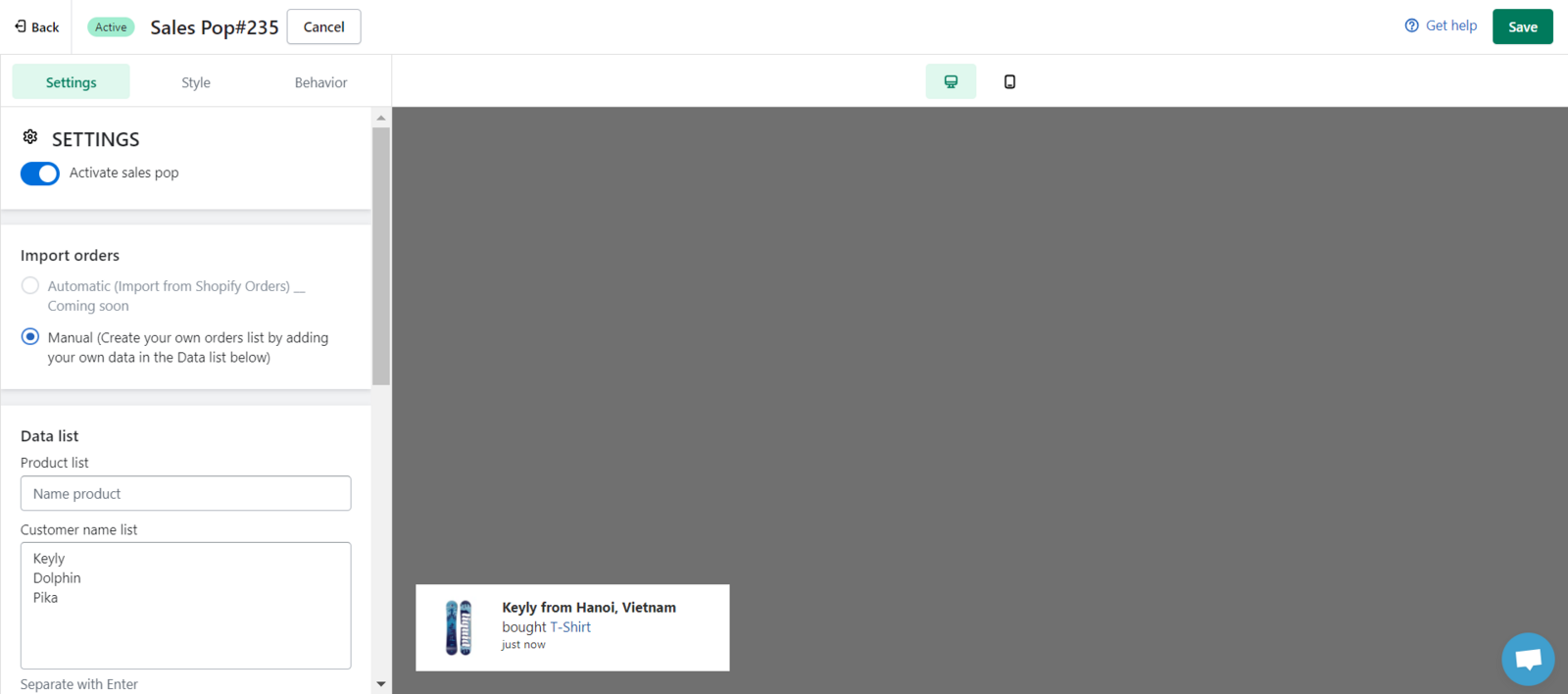
Kindly go to the Settings page, here you can import data to show on Sales Pop. You can use your real order directly imported from Shopify Orders or create your own orders list to make customer FOMO.
-
On the first option: Automatic (Import from Shopify Orders) coming soon
-
On the second option: Manual (Create your own orders list)
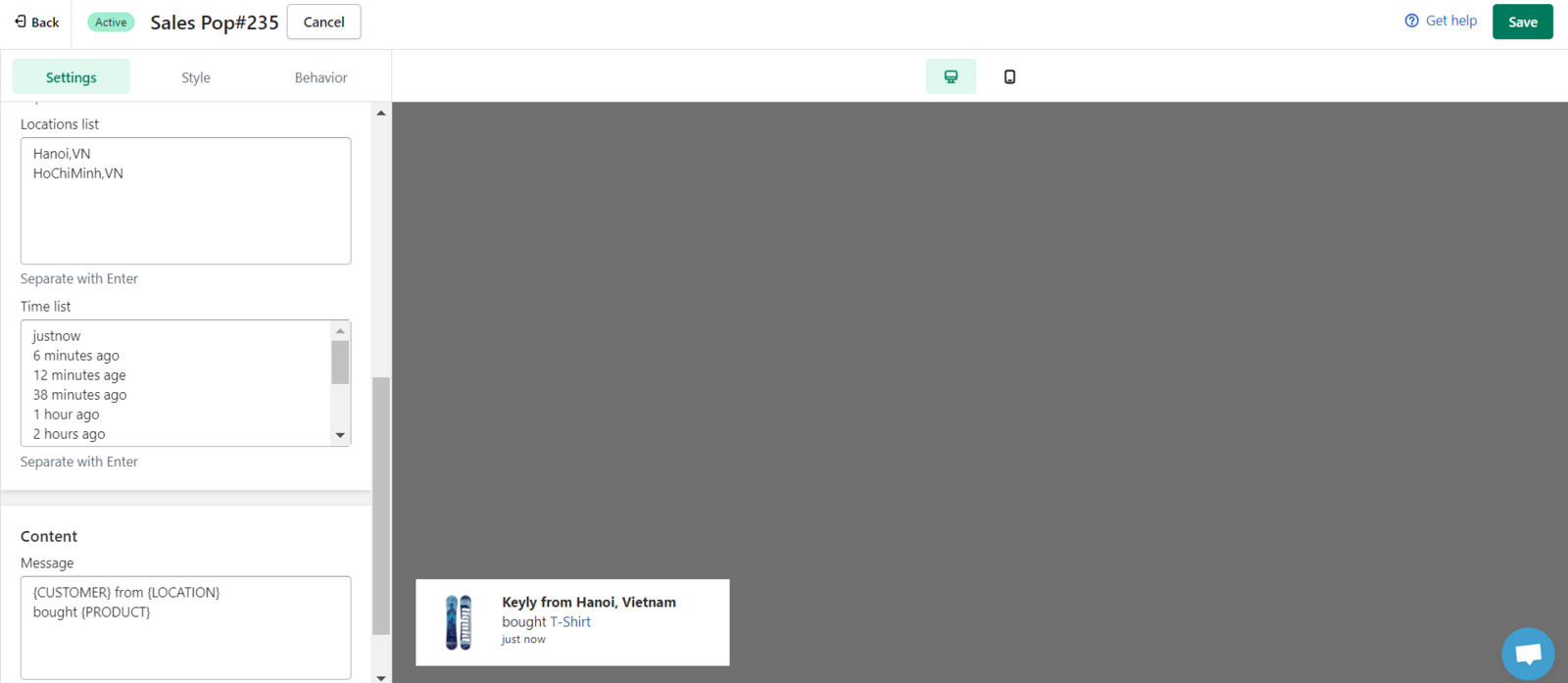
This choice will allow you to create your own order list thus you can generate unlimited orders manually. You can use Manual import to add products list, customer name list, location list, and time list if you don't have enough orders available. Your data will be mixed together to create a random sales pop.
We value your feedback — it helps us continuously improve ForDeer and provide you with a better experience.
🖥️ Demo store: Check out here with password: 1
👉 Chat with us: Share your feedback directly with our team.
👉 Email us: hi@fordeercommerce.io
👉 Explore more apps: Discover more ForDeer apps.
👉 Join our community: Join ForDeer Community to get the latest updates, tips, and special deals.
🕐 Working hours: 8:30 AM – 5:00 PM (UTC+7), Monday–Friday.
We typically reply to live chats within minutes and emails within a few hours.
Need help? Feel free to reach out anytime via live chat or email!