

You can absolutely modify the styles of the promotion bar by going to Styles in Promotion Bar page.
Choosing the available templates
There are some available templates for you to choose.
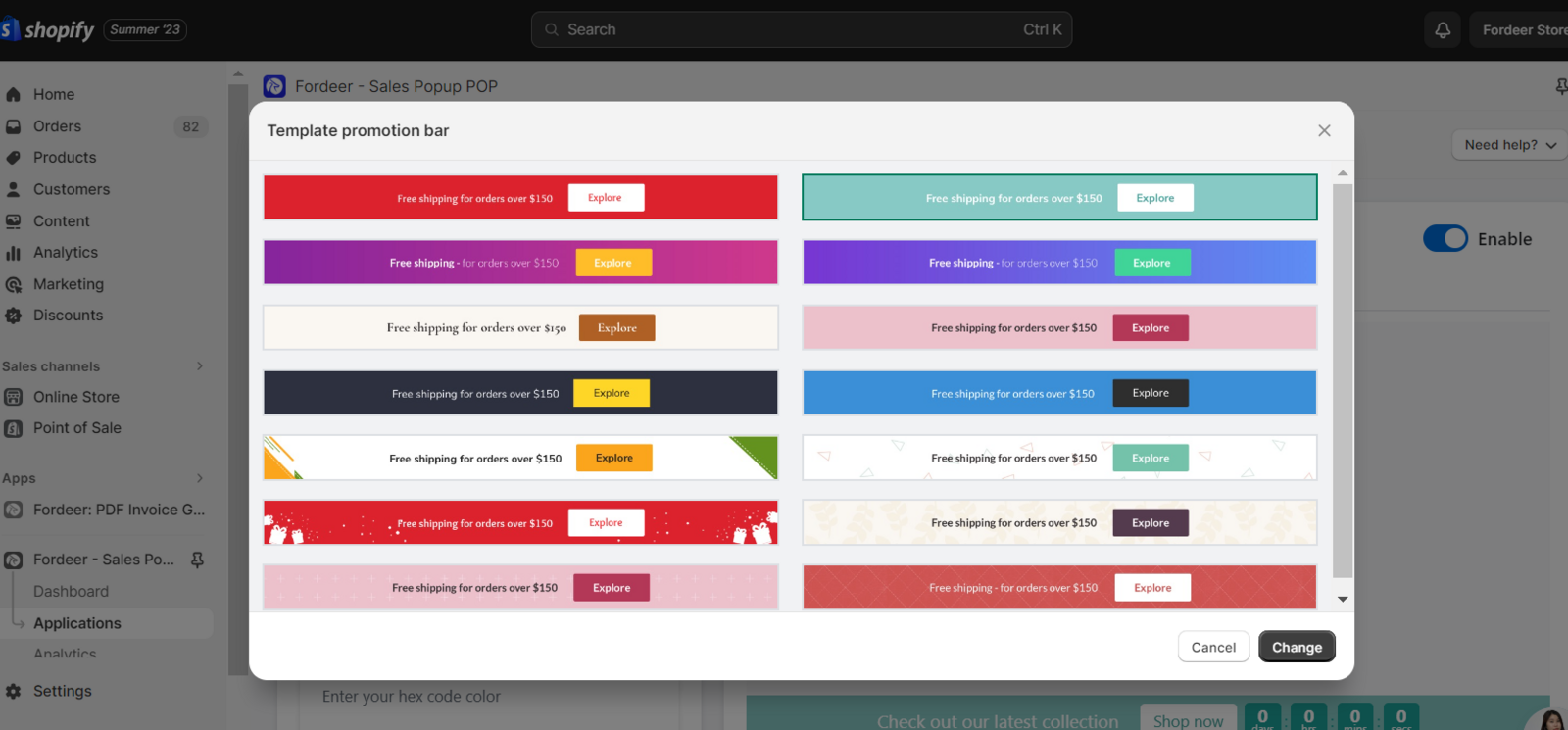
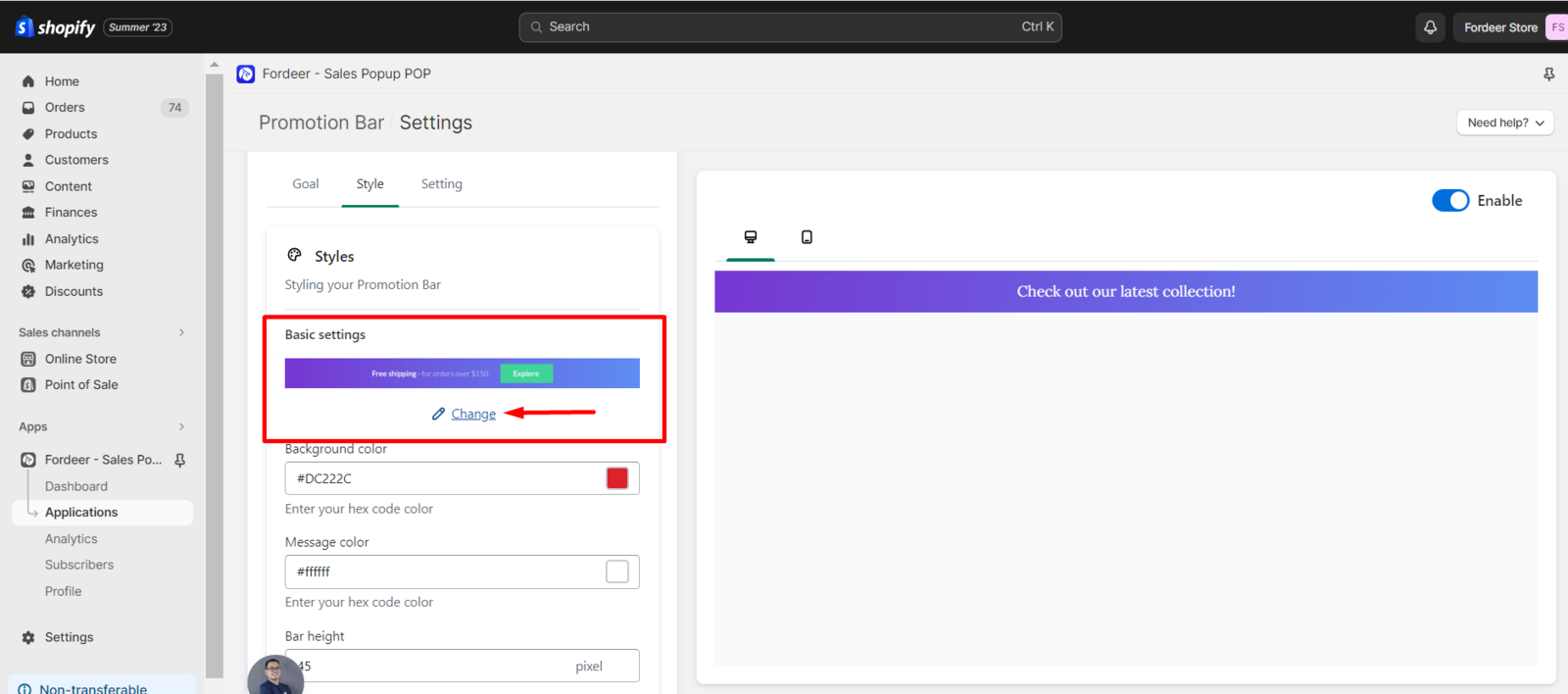
Kindly click **Change **in Basic settings, then you can freely select which template is fit with you brand identity.
Customize the styles by yourself
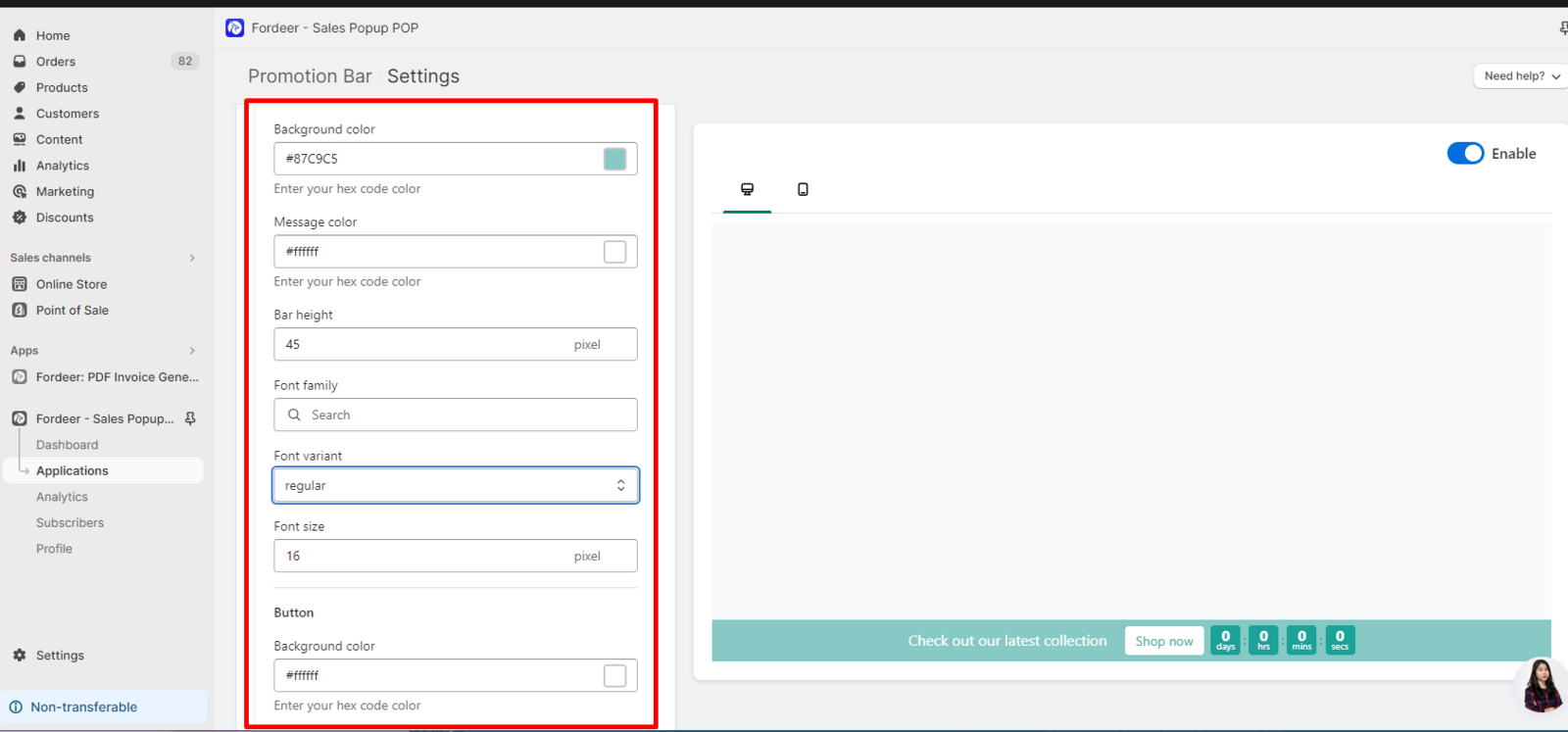
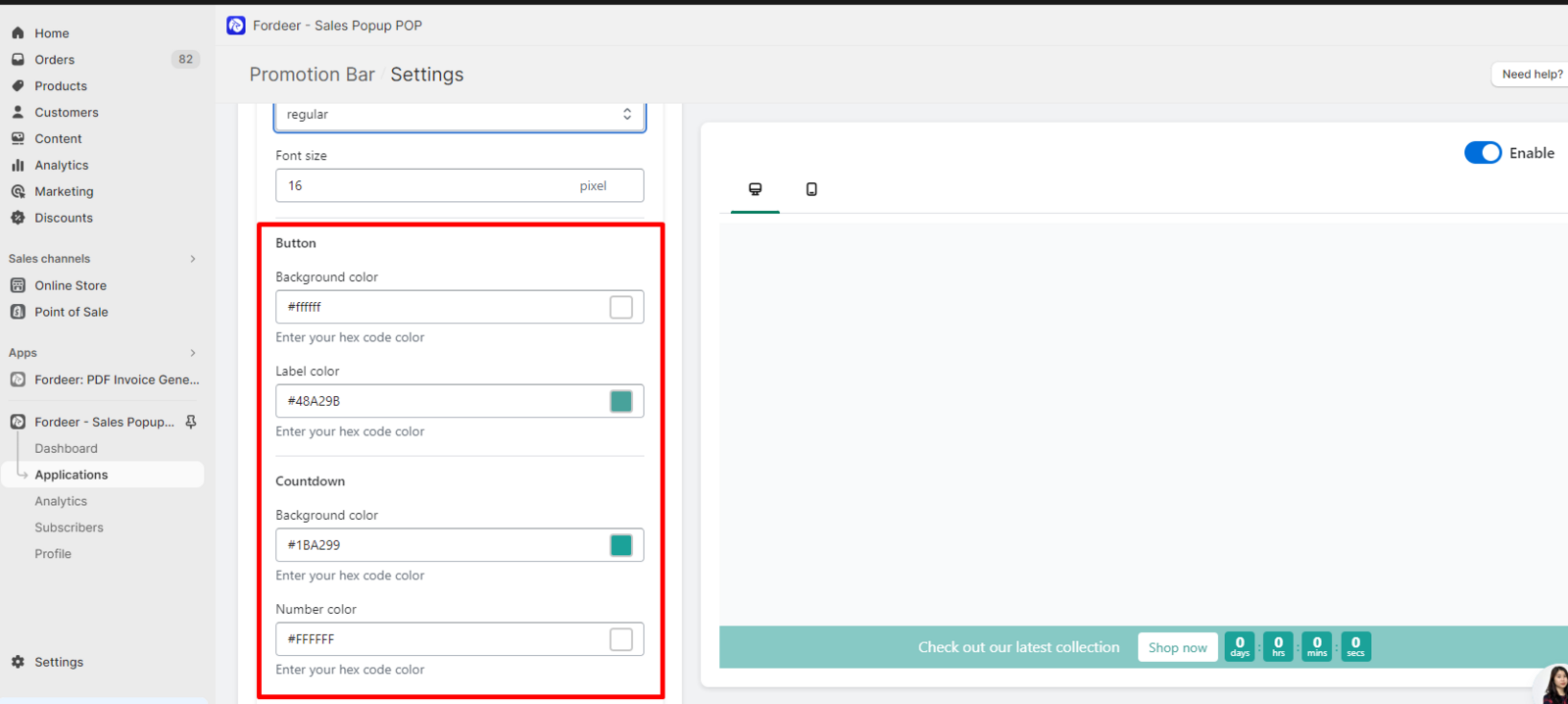
You can freely customize the color of everything shown in the promotion bar. Besides, you can change the height of the bar, the font, the font variant, font size,..
We value your feedback — it helps us continuously improve ForDeer and provide you with a better experience.
🖥️ Demo store: Check out here with password: 1
👉 Chat with us: Share your feedback directly with our team.
👉 Email us: hi@fordeercommerce.io
👉 Explore more apps: Discover more ForDeer apps.
👉 Join our community: Join ForDeer Community to get the latest updates, tips, and special deals.
🕐 Working hours: 8:30 AM – 5:00 PM (UTC+7), Monday–Friday.
We typically reply to live chats within minutes and emails within a few hours.
Need help? Feel free to reach out anytime via live chat or email!