

With sold count message, you can customize content and language to meet your demands. Kindly go to Settings page in the Sold Count to be able to modify the message of the sold count.
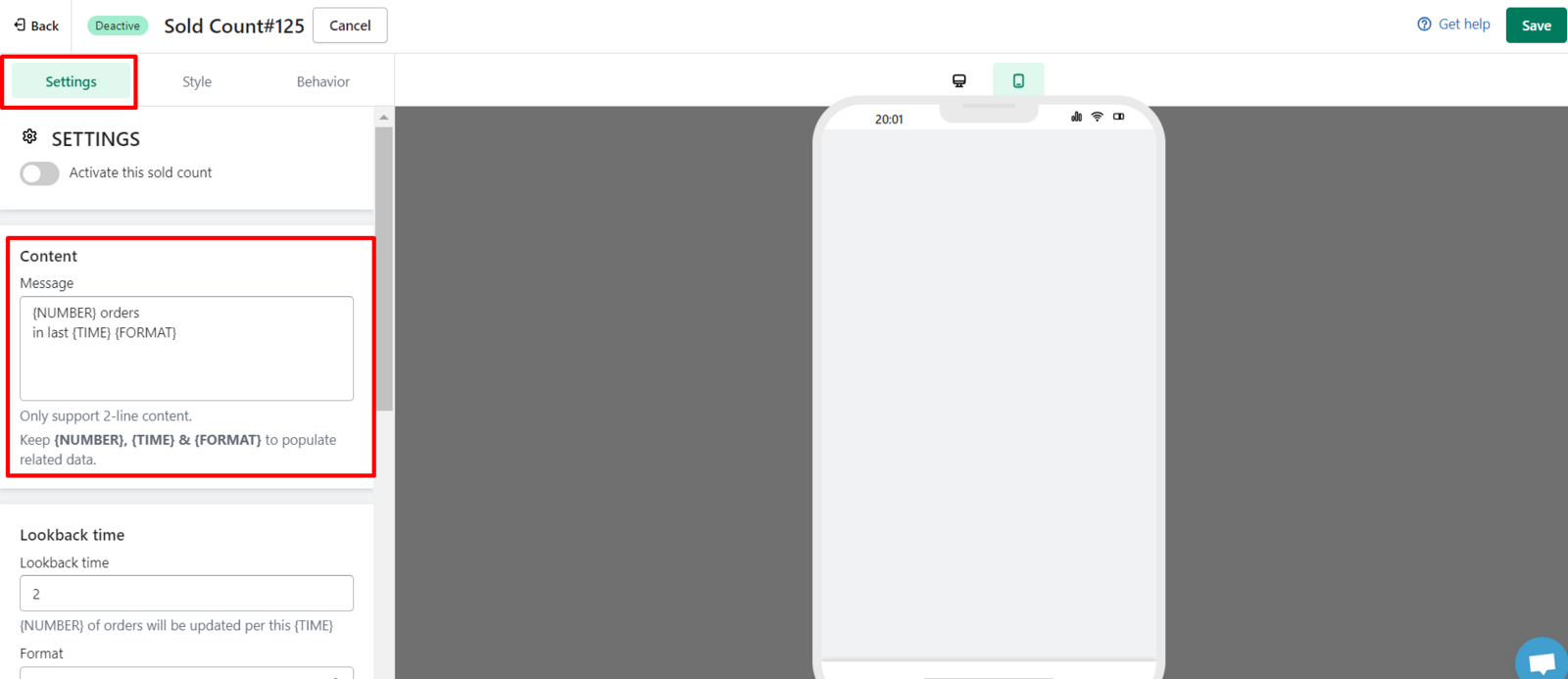
Please DO NOT edit variable {NUMBER} and {TIME} because our app will auto-import number of orders, time data based on these variables. However, you can reorder these variables, or remove the variable you don't want to show up on sold count.
You can create 2-line content by Enter
{NUMBER} variable stands for the number of orders.
We value your feedback — it helps us continuously improve ForDeer and provide you with a better experience.
🖥️ Demo store: Check out here with password: 1
👉 Chat with us: Share your feedback directly with our team.
👉 Email us: hi@fordeercommerce.io
👉 Explore more apps: Discover more ForDeer apps.
👉 Join our community: Join ForDeer Community to get the latest updates, tips, and special deals.
🕐 Working hours: 8:30 AM – 5:00 PM (UTC+7), Monday–Friday.
We typically reply to live chats within minutes and emails within a few hours.
Need help? Feel free to reach out anytime via live chat or email!