

Hello from Fordeer! If you’re noticing issues where the sales notification shows incorrect customer names or locations, this article explains why and how to resolve it.
Why This Happens:
When using data from Shopify orders, Shopify’s security policies prevent our app from accessing specific details like {CUSTOMER} and {LOCATION} directly from your orders. These policies are in place to protect your customers' privacy.
As a result, our app generates random {CUSTOMER} and {LOCATION} data based on default settings. This is why the names and locations displayed might not match your actual order information.
We sincerely apologize for any confusion caused. These measures are essential for complying with Shopify’s rules and keeping our app available on the Shopify App Store.
Suggested Solutions:
- Default Content:
Use generic sales notification content, such as:
“Someone already made a purchase of {PRODUCT}.”
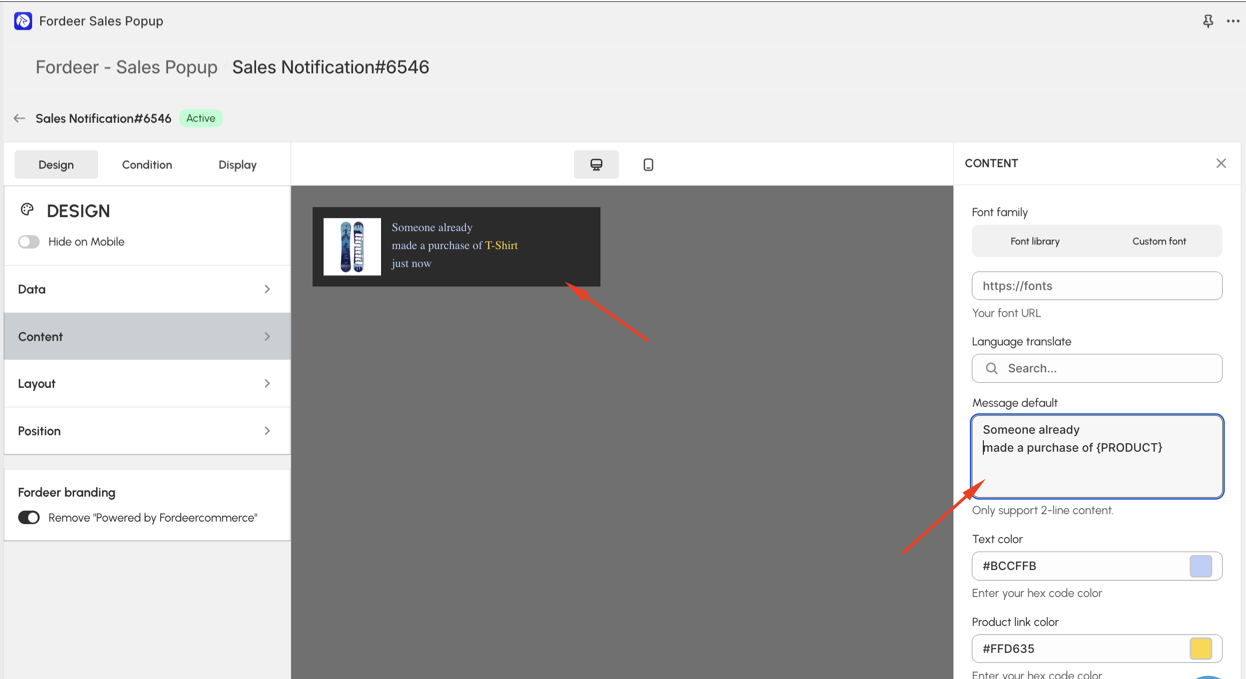
- Custom Data via CSV:
Alternatively, upload a CSV file with your preferred customer names and locations. This allows you to display accurate information as per your needs.
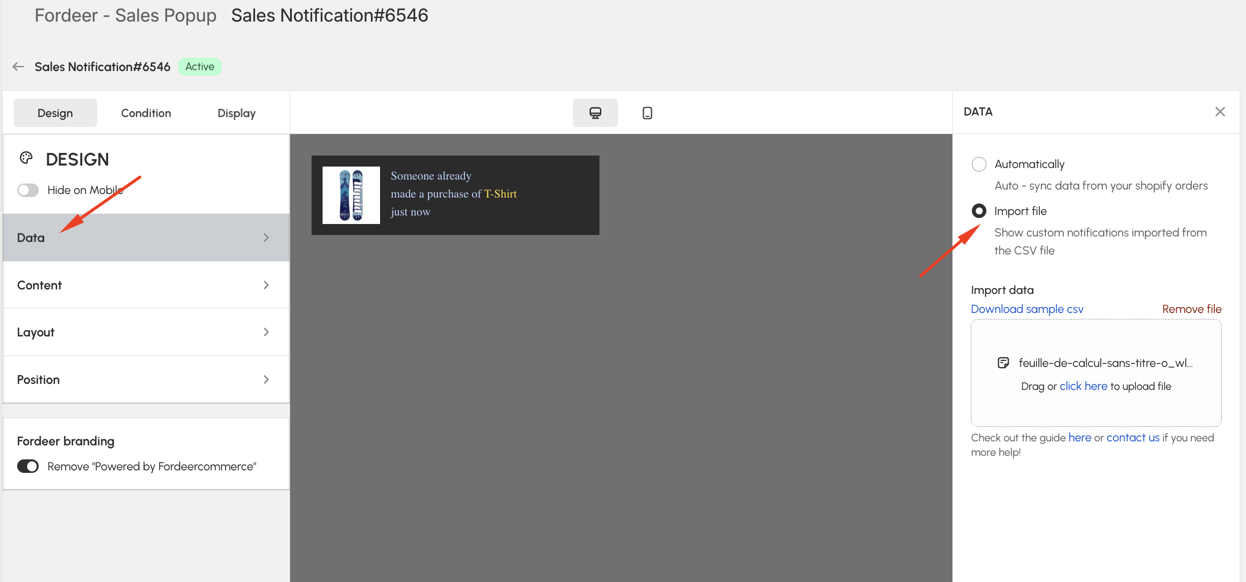
By following these solutions, you can maintain engaging and compliant sales notifications. Please give them a try and do not hesitate to contact us if you have any questions along the way.
We value your feedback — it helps us continuously improve ForDeer and provide you with a better experience.
🖥️ Demo store: Check out here with password: 1
👉 Chat with us: Share your feedback directly with our team.
👉 Email us: hi@fordeercommerce.io
👉 Explore more apps: Discover more ForDeer apps.
👉 Join our community: Join ForDeer Community to get the latest updates, tips, and special deals.
🕐 Working hours: 8:30 AM – 5:00 PM (UTC+7), Monday–Friday.
We typically reply to live chats within minutes and emails within a few hours.
Need help? Feel free to reach out anytime via live chat or email!