

Hello from Fordeer!
Geo-targeting allows your popup campaigns to appear only to visitors from specific locations, such as a country, region, or city. This is especially effective for location-based campaigns.
By default, your popup campaigns are set to display in all locations.
How to set up geo-targeting:
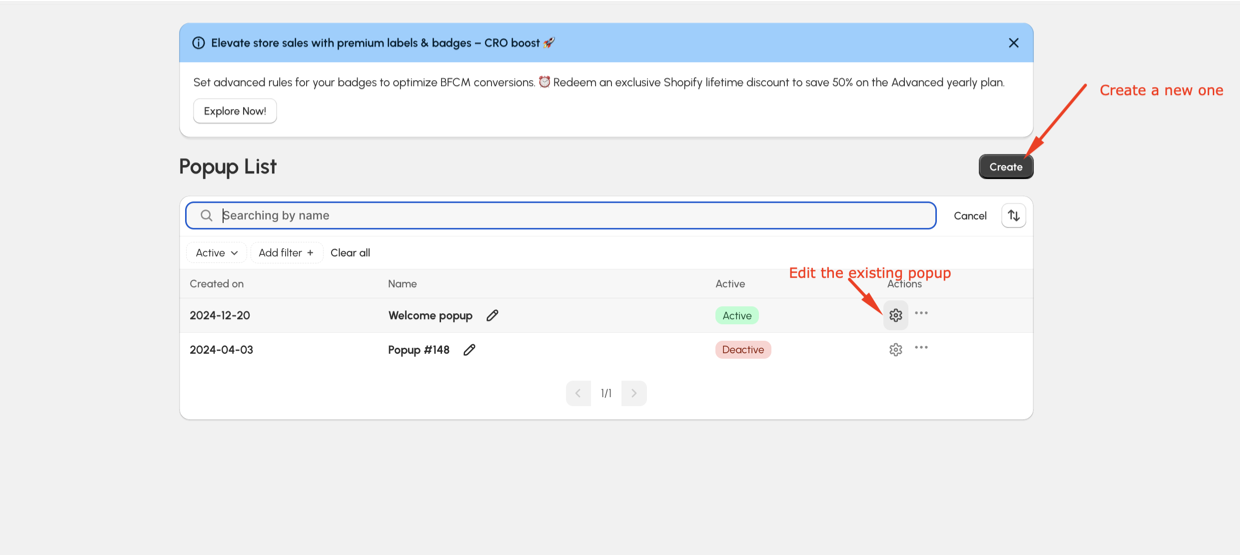
- Open your Popup dashboard and click Edit on an existing campaign or create a new campaign
- Go to the Condition > Location section.
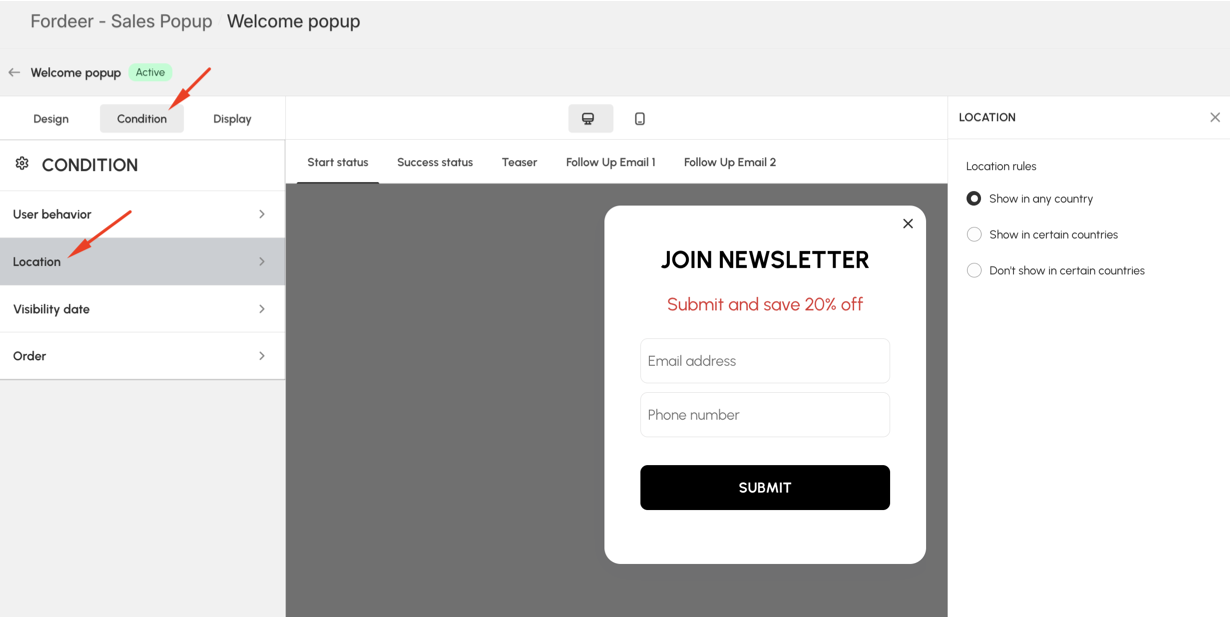
You can choose from the following options:
-
Show in any countries: Displays the popup to all visitors.
-
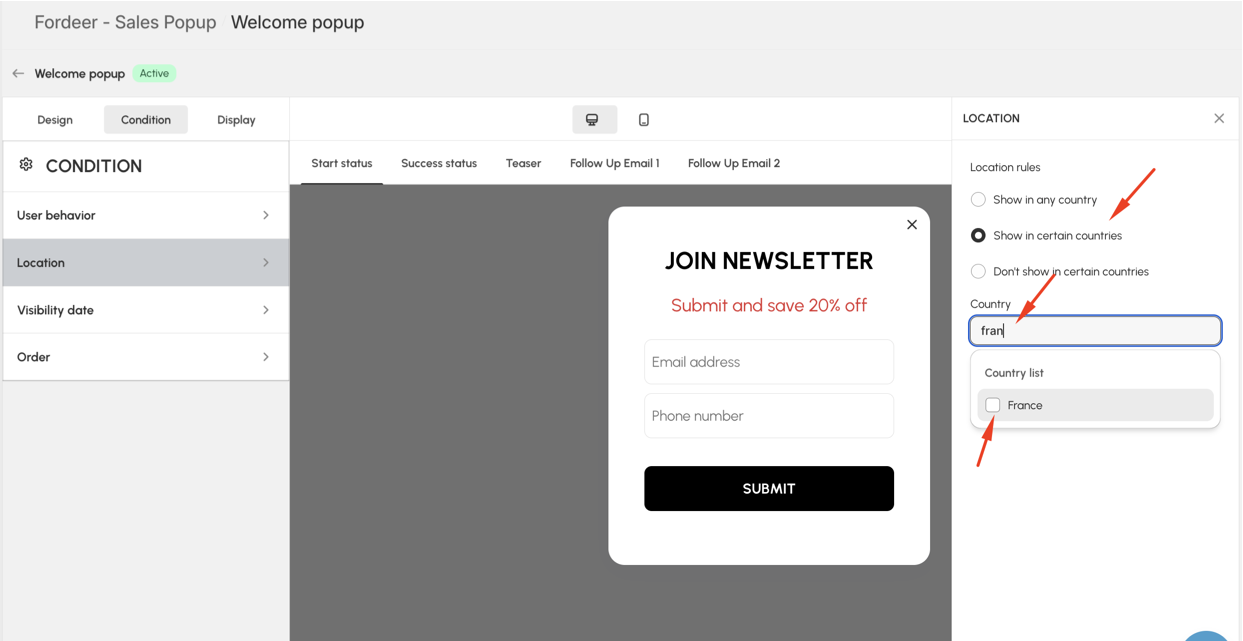
Show in certain countries: Select specific countries, regions, or cities where the popup should appear.
-
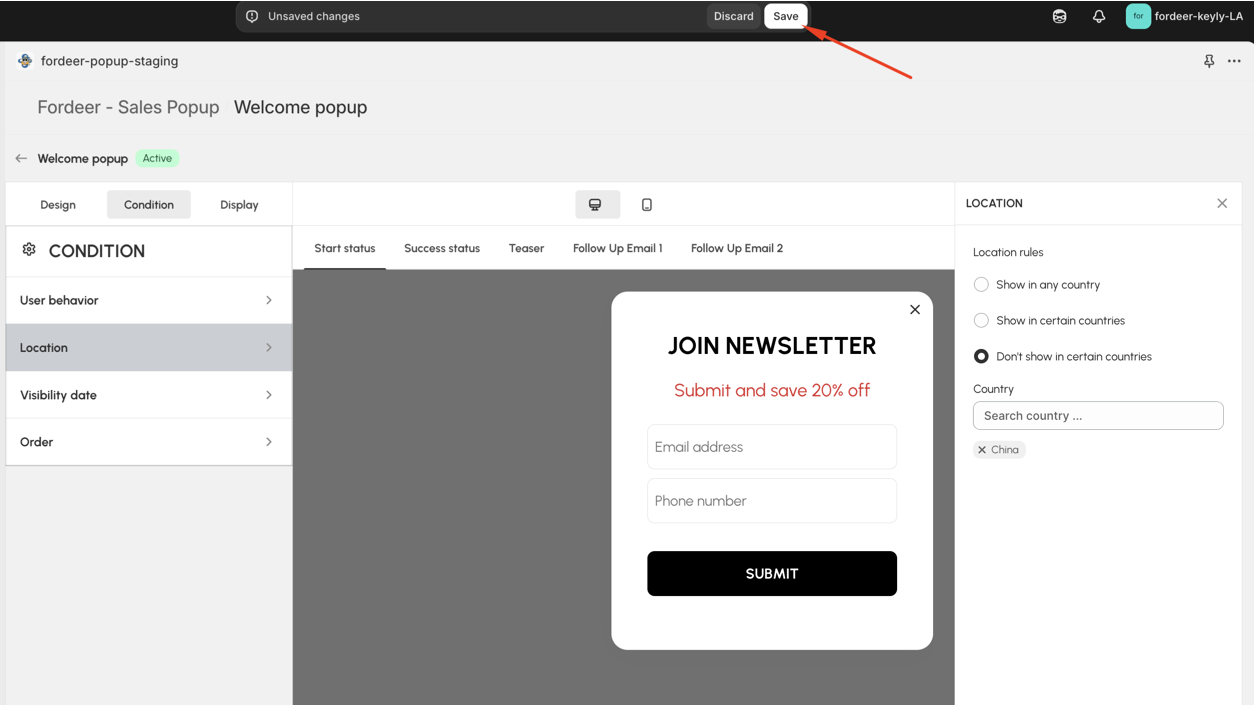
Do not show in certain countries: Exclude specific countries, regions, or cities from seeing the popup.
- If you select one of the last two options, use the dropdown or type to specify the country and put a tick.
- Click the Save button in the top-right corner
And that’s it! Your popups will now display to visitors based on their location. Need further assistance? Let us know! 😊
We value your feedback — it helps us continuously improve ForDeer and provide you with a better experience.
🖥️ Demo store: Check out here with password: 1
👉 Chat with us: Share your feedback directly with our team.
👉 Email us: hi@fordeercommerce.io
👉 Explore more apps: Discover more ForDeer apps.
👉 Join our community: Join ForDeer Community to get the latest updates, tips, and special deals.
🕐 Working hours: 8:30 AM – 5:00 PM (UTC+7), Monday–Friday.
We typically reply to live chats within minutes and emails within a few hours.
Need help? Feel free to reach out anytime via live chat or email!